How to Collect Wedding Photos From Guests With a QR Code Gallery — venued.app
Let guests upload photos and videos from your wedding into one shared gallery by scanning the same QR code they used to find their seat. No app download.
Your Guests Already Have the Best Photos. Get Them All in One Place.
One QR code. Every photo and video, from every guest.
Every wedding ends the same way: you ask guests to send their photos, and most never do. The hashtag nobody remembers, the AirDrop that never happens, the group chat that compresses every video into a blurry mess. The best shots of the night — the ones from table six, the candid on the dance floor, the video of the toast — stay locked on someone else's phone forever. With venued.app, guests upload straight into one shared Gallery — from the same QR code they already scanned to find their seat.
There is no separate app, no account to create, and no link to hunt down. The Gallery lives on the same Find Your Seat page, so uploading a photo takes the same three taps as checking a table number.
Phase 1: Add Your Own Photos First (Optional)
Gallery is included on the Pro and Organizer plans — on those plans it's already turned on for every event, so there is nothing to enable. Free-plan events don't include Gallery. The only thing worth doing beforehand is seeding the album yourself, so guests open it to something instead of an empty page.
- Open your event: Log in at www.venued.app and click into your event.
- Go to the Gallery tab: On the Pro and Organizer plans it's already live and waiting for uploads — no toggle to flip.
- Add photos if you want: Upload a few images or videos yourself — the couple's or the photographer's — so the album isn't empty when guests start scanning.
Phase 2: How Guests Upload Their Moments
Guests never leave the page they're already on. No download, no login — just the QR code they scanned to find their seat.
- Scan the QR code: Guest scans the seating chart poster at the venue entrance.
- Find their seat: They land on the Find Your Seat page, search their name, and see their table assignment, same as always.
- Tap “Share your memories”: The button is right there on the same page — no separate app to download, no account to create.
- Upload from the camera roll: Guests pick photos or videos straight from their phone and upload directly in the mobile browser.

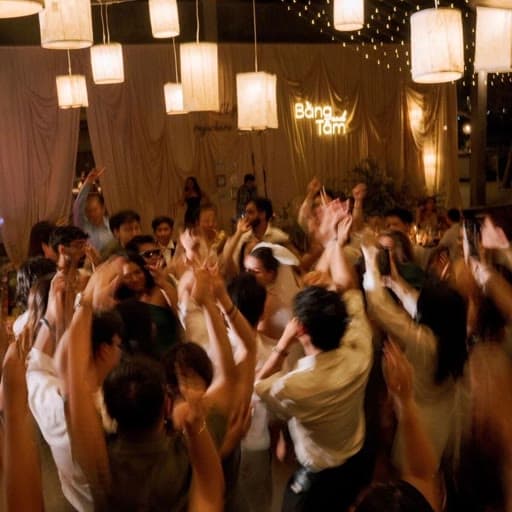
Photos, Videos, and Who Else Can Add Them
The Gallery isn't just for guests. The couple, the organizer, and the photographer can all upload into the same shared album, so the professional shots and the candid guest snaps end up in one place instead of scattered across a dozen phones. Guests can upload video clips too — the ceremony, the speeches, the first dance — alongside their stills, so the album isn't just pictures.
One Page, the Whole Guest Experience
The Find Your Seat page isn't just a seating lookup. From the same QR code a guest scans once, they can find their seat, check the menu, view the floor plan, read event notes, and now upload their own photos and videos — all on one page, from one app, with no download and no account. Most couples piece this together instead from a seating chart easel, a printed menu, a hashtag sign, and a separate photo-sharing app — four things, four ways for a guest to miss one of them.
- Table and seat lookup
- Menu
- Floor plan
- Event notes and welcome video message
- Photo and video upload to the Gallery
Gallery vs a Wedding Hashtag
A hashtag depends on guests remembering it, spelling it right, and having a public account. Most don't. A venued.app Gallery skips all of that:
- No app or account required: Guests upload from the mobile browser they're already in — no Instagram, no follow request, no private account blocking the photo from ever reaching you.
- Nothing to remember: There's no hashtag to spell correctly. The Gallery is already open on the same page as the digital seating chart.
- You own the album: Every upload lives in your event, not scattered across guest accounts that can go private or get deleted after the wedding.
Why This Solution Works
- Guests are already there: Every guest already scans the QR code to find their seat. Gallery rides that same moment instead of asking for a separate action later.
- Works for every guest, not just the social ones: No app, no account, no private profile blocking a photo from reaching you — it works for grandparents and teenagers alike.
- One album, not a scavenger hunt: Pairs naturally with a QR seating chart poster and a welcome video message — every piece of the guest experience lives on the same page.