How to Feature Wedding Suppliers on the Find Your Seat Page — Venued.app
Showcase wedding vendors inside your Venued.app seating chart. Guests tap from their seat to your Instagram, TikTok, or website — no business cards.
Stop Handing Out Business Cards. Start Handing Out Clients.
Every guest scan becomes a vendor introduction.
At every wedding or event, dozens of talented vendors pour their best work into the day — and then go home without a single new lead. Guests experienced the florals, heard the DJ, loved the food, yet had no easy way to find those suppliers afterward. The Suppliers feature on Venued.app fixes that. Event organizers add vendors to the event dashboard, and those suppliers are showcased directly on the Find Your Seat page — the same page every guest opens when they scan the QR seating chart.
For couples, it is the modern way to thank their vendors. For wedding professionals, it is the best way to promote their business at a reception — a captive audience of 100 to 300 guests who already witnessed their work firsthand. One tap takes any guest straight to a vendor's Instagram, TikTok, Facebook, or website. No business card tables. No missed connections.
How do couples add wedding suppliers to a Venued.app event?
Adding suppliers takes under two minutes. Before you start, make sure your guest list is already imported — you can import your guest list from Google Sheets in seconds.
- Open your event: Log in at www.venued.app and select your event.
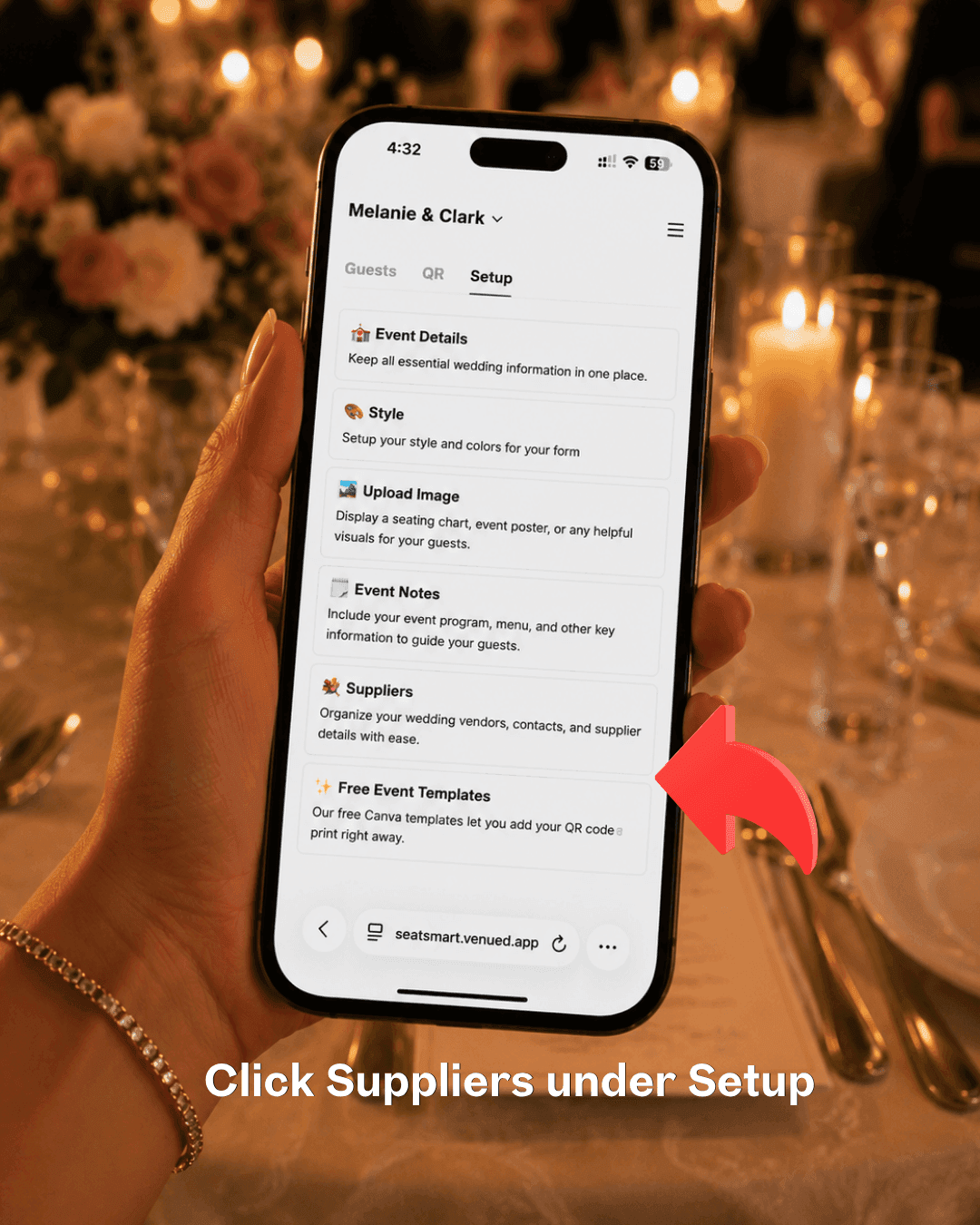
- Go to Setup, then tap Suppliers: Inside your event, tap the Setup tab at the top. You will see a list of setup options — tap Suppliers.
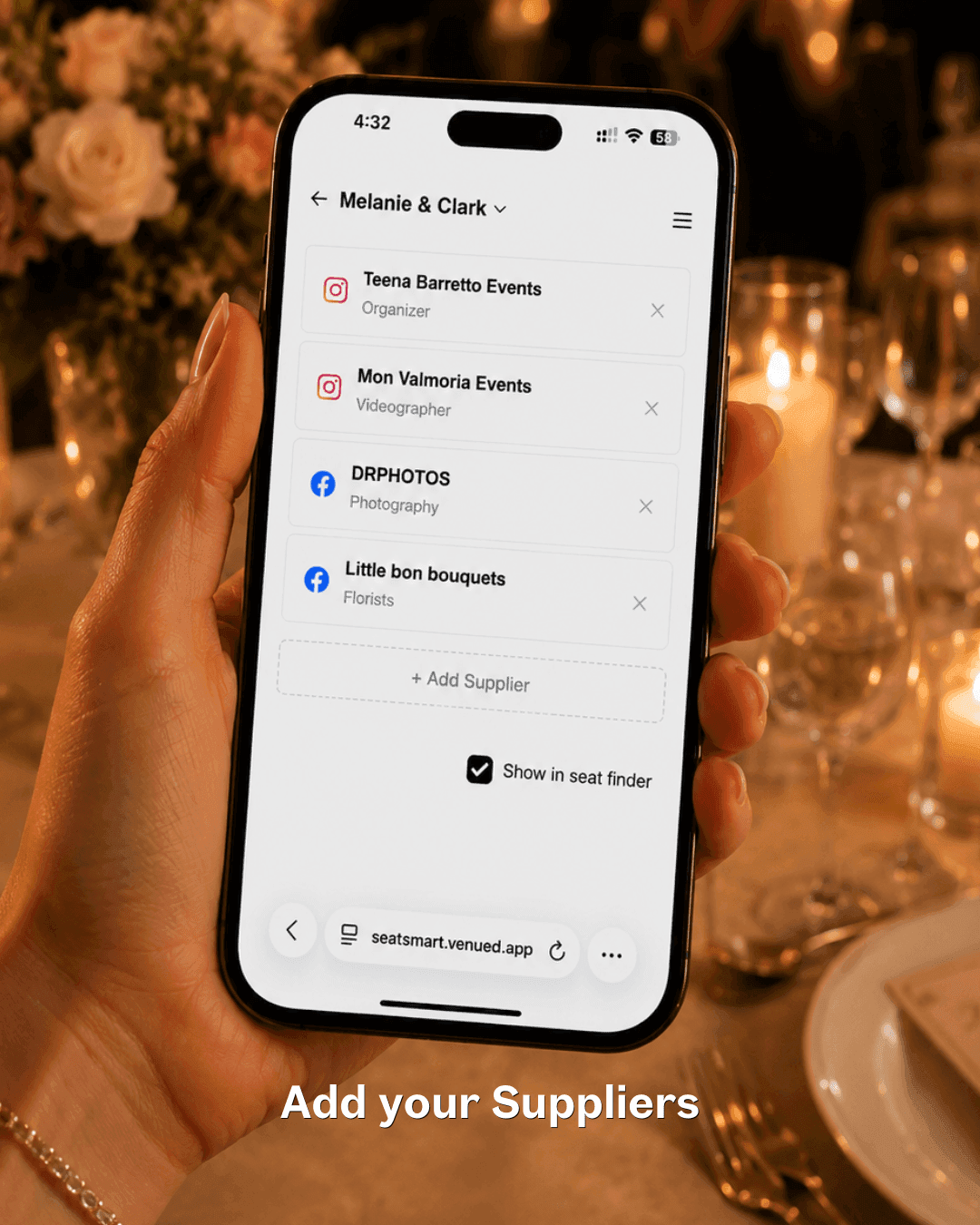
- Add each vendor: Tap + Add Supplier. Enter the vendor's name, their role (e.g., Photographer, Florist, DJ), and their Instagram, TikTok, Facebook, or website link. Repeat for every vendor involved in the event — there is no limit.
- Enable Show in seat finder: Make sure the Show in seat finder checkbox is ticked. This makes the supplier list visible to guests on the Find Your Seat page.
What do guests see when they open the Find Your Seat page?
Once a guest scans the QR code or opens the Find Your Seat link, the supplier showcase is part of the same mobile-first experience — no second app, no separate URL needed.
- Scan the QR code: Guest scans the seating chart poster at the venue entrance.
- Find their seat: They search their name and see their table assignment instantly.
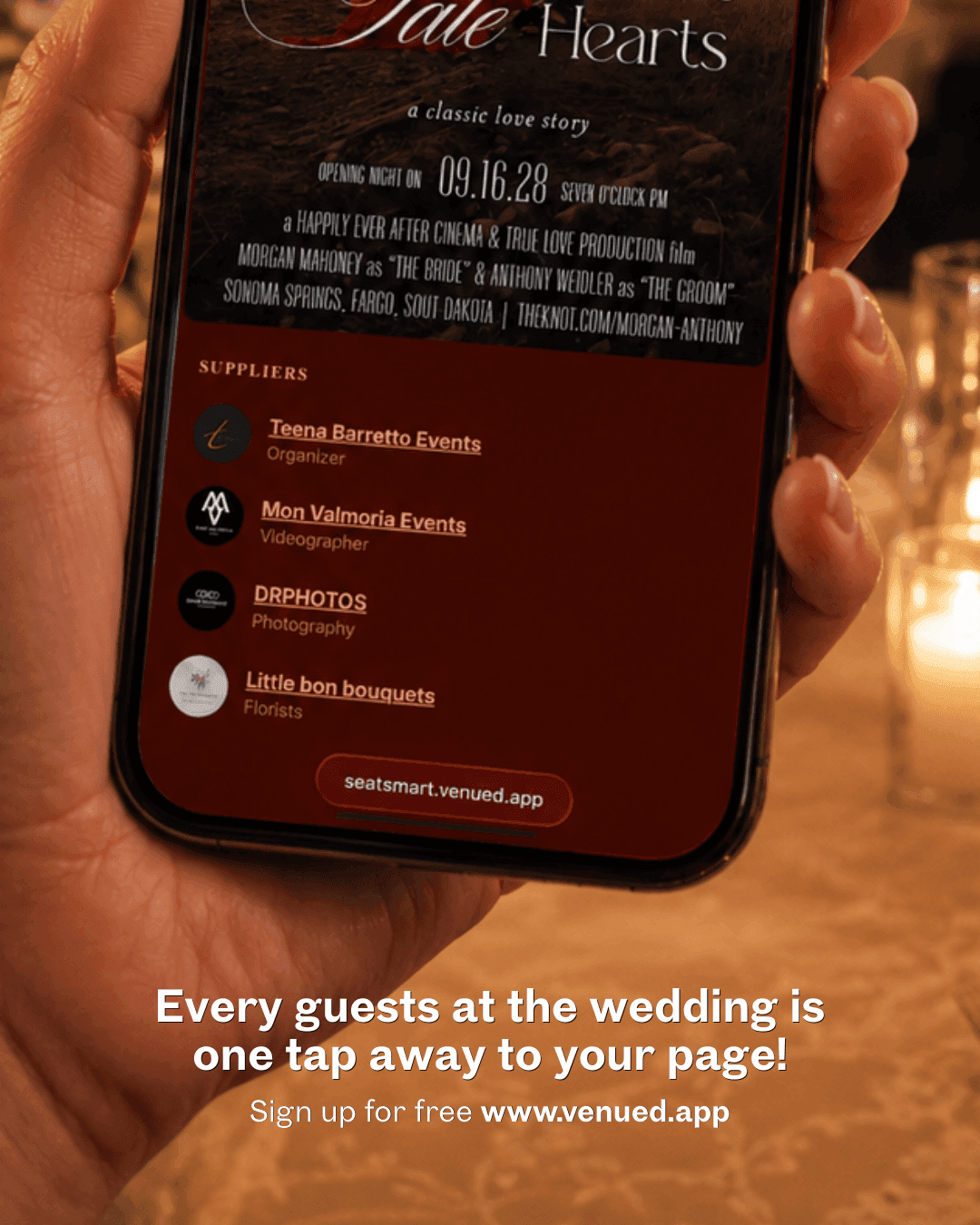
- See the supplier list: Below their seating information, a Suppliers section lists every vendor the organizer added — each with their name, role, and profile avatar.
- Tap to connect: One tap opens the vendor's Instagram, TikTok, Facebook, or website directly in the guest's browser.
Which wedding vendors should be featured on the seating chart?
Any vendor involved in the event can be featured. Here are the most common wedding supplier categories — and the best way to promote wedding vendors at a reception is to list all of them so no one is missed.
- Wedding Planners & Coordinators
- Photographers & Videographers
- Florists & Wedding Stylists
- DJs, Live Bands & Hosts / Emcees
- Makeup Artists & Hair Stylists
- Bridal Gown & Suit Designers
- Caterers & Cake Designers
- Invitation & Stationery Designers
- Photo Booth Suppliers
- Lights & Sounds Suppliers
- Mobile Bar Providers
- Content Creators
- Wedding Venues
This is how to give wedding suppliers free marketing — not with a business card table that guests ignore, but with a digital showcase that lives inside the exact moment guests are most engaged with the event.
- What is the Venued.app Suppliers feature?
- A vendor showcase built into the QR seating chart. Each guest finds their seat and sees the event's suppliers with one-tap links to Instagram, TikTok, Facebook, or website.
- Who is it for?
- Wedding planners, photographers, florists, DJs, MUAs, and any vendor that wants free exposure to a captive audience of 100 to 300 qualified prospects who already saw their work live at the event. It is also the modern alternative to the wedding business card table.
Why This Solution Works
- Qualified introductions: Every guest who taps a vendor link has already experienced that vendor's work firsthand — at the reception, in the room, in real time. These are not cold leads. They are warm introductions from people who saw the florist's arrangements on every table and heard the DJ keep 200 guests dancing.
- Zero clutter: No business card table to set up, no stacks of cards to ignore or lose. The supplier list lives digitally inside the Find Your Seat page — tidy, always accessible, and never misplaced.
- Free on every plan: The Suppliers feature is included on the Free, Professional, and Organizer plans with no cap on the number of vendors. See Venued.app pricing for full plan details.
See It on Instagram
See how other couples and vendors are using the Suppliers feature: